
Get Client Approval on a Video, Without the Email Ping-Pong
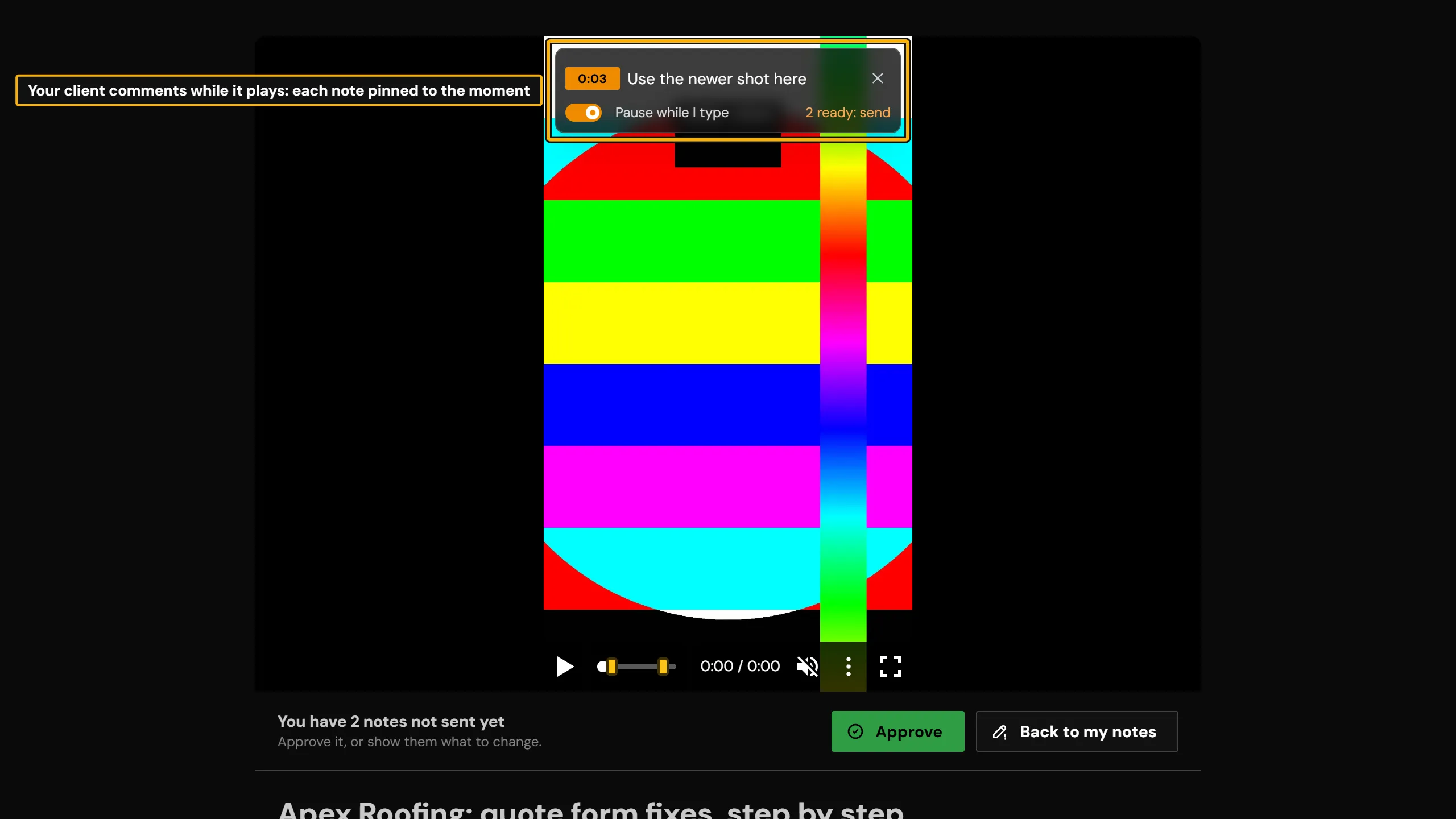
Video approval software lets a client watch a draft, leave notes on it and give a recorded sign-off. vitelnk does this on a share link, with no account for the client. Send the draft on a share link with Ask them to approve on. Your client writes notes while it plays, each pinned to the second, and sends them with Request changes, or clicks Approve. You reply and resolve the notes in the Review tab, and every answer is kept with who gave it and when.
- To the second
- where every note is pinned while the video plays
- 1 confirmed email
- behind every approval
- 0 accounts
- for your client to create
See it in the app
The real screen in vitelnk, with the setting marked.
How It Works
- 1
Upload the video and click Create Share Link. Turn on Ask them to approve, or start from the Client review job, and add the client under Named people.
- 2
Send the link. Your client watches in the browser, pins notes to the second as it plays, and clicks Approve or Request changes.
- 3
You get an email with their answer and notes. Reply and resolve the notes in the video's Review tab, and see each person's answer on the link.
Key Benefits
- Notes pinned to the second while the video plays, so you know exactly which shot they mean
- Approve or Request changes under the video, with no account to create
- An approval needs a confirmed email, so "I never approved that" has an answer
- An approval history on every link: each answer, who gave it from a confirmed email, and when, with a pill that shows who has approved
- Unlock download when they approve: the final goes out by itself once everyone you named says yes
- Reply to notes and resolve them in the Review tab
- Keep the draft private: a password, an expiry date and downloads off on the review link, and their name on the video (14-day trial and paid plans)
- Approve and Request changes on every account; a sign-off from each named person on the 14-day trial and paid plans
Use Cases
A cut for one client
Their notes and their yes in one place.
ExamplePick the Client review job and send the link: it also turns downloads off and puts their name on the video (trial and paid plans). Notes arrive with the second they refer to, and you get an email when the client answers.
A draft for a whole team
Everyone on their side answers.
ExampleAdd each person under Named people (14-day trial and paid plans). The link shows 2/3 approved, and you can see who hasn't answered yet.
Approve, then deliver
The final goes out when they say yes.
ExamplePick the Approve, then deliver job. When everyone you named approves, downloads turn on and they get an email that the final is ready.
A record for later
Who approved what, and when.
ExampleEvery answer is kept. If someone changes their mind, their latest answer counts and the earlier ones stay in the history.
Who Uses Video Review & Approval
Related Features
Explore more ways to enhance your video sharing experience.
Common Questions
Ready to Try Video Review & Approval?
Try it free today and see how video review & approval can help you share videos more effectively.