
Video Share Links That Show You Who Opened Them
Generate unlimited video share links per upload, each with its own password, expiry, and settings. Add named recipients and send personalised magic invite links. See who opened it, who didn't, and bind each session to a specific person.
- 3×
- the reply rate when Terminus sent video as the first outreach email instead of textVidyard case study: Terminus
- 200
- people per pasted list, each sent their own link
- ∞
- share links per video, each with its own settings and tracking
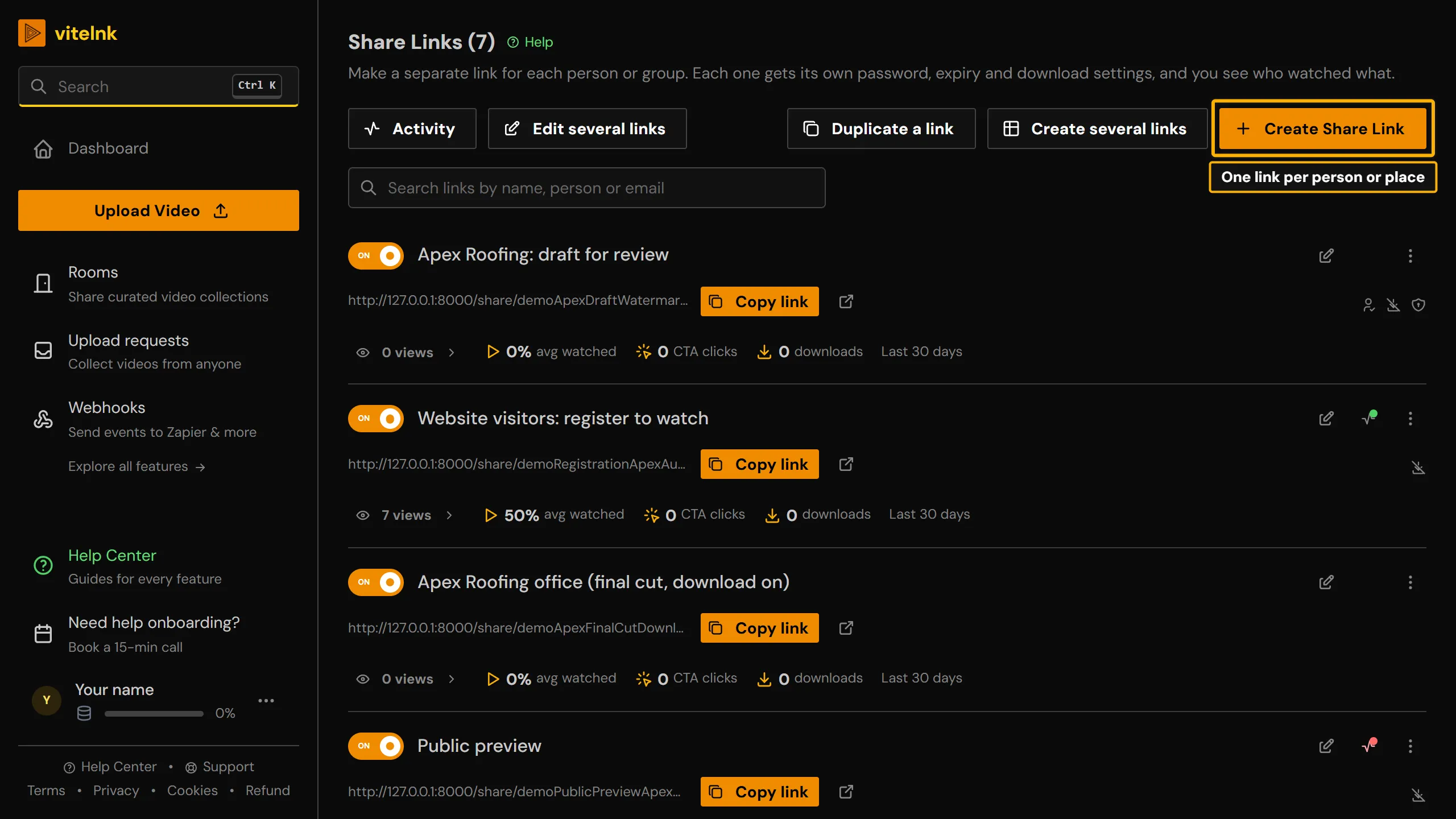
See it in the app
The real screen in vitelnk, with the setting marked.
How It Works
- 1
Create a share link and choose its settings: password, expiry, one-time use, download protection
- 2
Add named recipients and send each one their own personal magic link
- 3
Track opened/not-opened status and full session analytics per recipient
Key Benefits
- Create unlimited share links per video
- Different permissions and settings per link
- Add named recipients and send each one a personalised magic link when you're ready
- See who opened their invite and who hasn't
- Sessions are automatically bound to the recipient, so there's no guessing who watched
- Viewers who open the link again pick up where they stopped
- Deactivate any link instantly without affecting others
Watch the Walkthrough
Use Cases
Client and stakeholder delivery
Send each person their own named link instead of one link for everyone.
ExampleAdd your client as a named recipient on the final-cut link, send their invite, and know the moment they open it, without a generic link changing hands.
Watch tracking per recipient
See who actually watched, not just how many times the link was opened.
ExampleCheck the recipient list after a proposal video goes out: watch percentage per person tells you who to call first.
Follow-up on non-openers
Chase the people who haven't watched yet, skip the ones who already have.
ExampleFilter the recipient list down to "not opened" the day before a deadline and send one reminder instead of guessing who saw it.
Different access per group
One upload, several link configurations for different audiences.
ExampleGive the internal team a stream-only link with no expiry, and prospects a password-protected link that expires after the review window.
Who Uses Share Links & Recipient Tracking
Related Reading
 Private Video Sharing Platforms Compared for 2026Private video sharing platforms compared for 2026: per-recipient links, expiry, view logs, pricing and use cases, so client videos stay private and tracked.Read more
Related Features
Explore more ways to enhance your video sharing experience.
Common Questions
Ready to Try Share Links & Recipient Tracking?
Try it free today and see how share links & recipient tracking can help you share videos more effectively.