
Know Exactly What Happened After You Hit Send
Full session-level analytics for every view. See who watched, for how long, on what device, and whether they clicked your CTA or filled a form. Get an email when they get as far as you choose (70% by default), with their name if they came via a recipient invite.
- 26%
- higher reply rate when a sales email includes a videoSalesloft, 134M emails
- 10%
- watch-depth steps, each shown with its time in the video (70% · 3:09)
- 30 min
- without watching before a returning viewer counts as a new visit, so rewatches show up
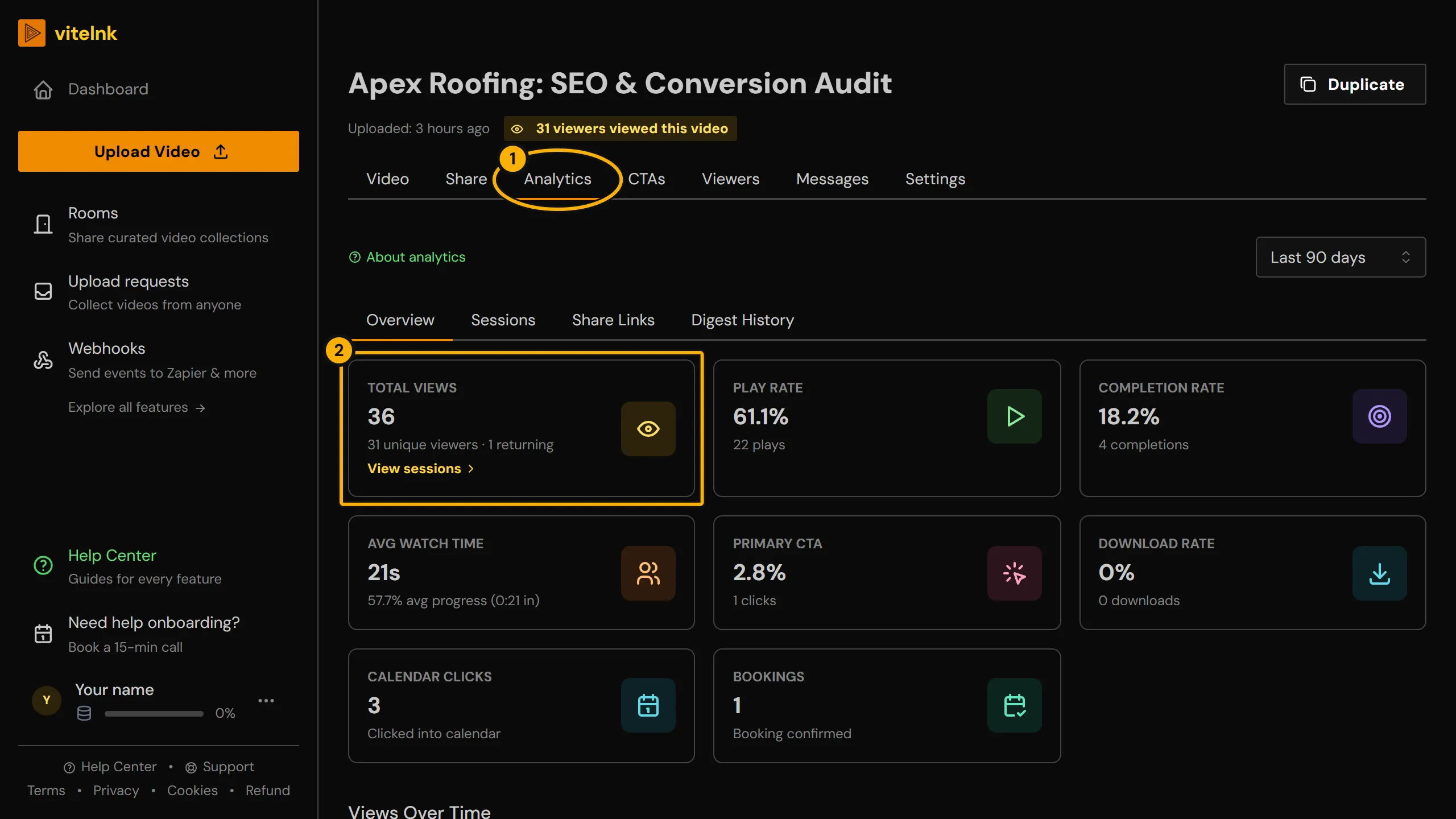
See it in the app
The real screen in vitelnk, with the setting marked.
How It Works
- 1
Share your video using a vitelnk link. Every session is captured automatically, with no viewer account needed.
- 2
Get an email when someone watches past your threshold (70% by default) or clicks your CTA, plus an hourly or daily digest summarising all activity.
- 3
View per-session detail in your dashboard, or export any session log as a PDF with one click.
Key Benefits
- Per-session detail: how far they got to the second, how long they really watched (skipping ahead doesn't count), device, browser, referrer, CTA and lead status
- Returning viewers: each visit, with where they picked up and where they stopped, and the player offers to resume where they left off
- Recipient name shown in session reports when a magic link was used
- Viewer-level video tracking: with a named link or viewer registration, each session shows who watched, not just a view count
- A retention chart second by second, with the parts viewers rewatch, and a funnel in 10% steps
- An email when a viewer reaches 70% (or the number you set per video, link or Room)
- Hourly or daily digest emails summarising video performance
- Digest history tab to browse past reports inside the dashboard
- Export any session log as PDF for invoices, approvals, or compliance records
Use Cases
Sales follow-up timing
Know the moment a prospect has watched enough, not just that they eventually opened it.
ExampleYou get an email as soon as a prospect passes 70% (2:48 of a 4-minute demo) and leaves, so you can follow up while the video is still fresh.
Who actually watched the cut
Confirm who actually watched, on what device, not just who clicked the link.
ExampleWith a named link per reviewer, an editor sees the client watched the new cut to the end on their phone while the producer stopped halfway, before the feedback call.
Billing and compliance proof
Produce a record that a video was delivered and watched, on demand.
ExampleA billing dispute is resolved by exporting the exact session log as a PDF, timestamped and per-viewer.
Content optimization
See where viewers actually drop off instead of guessing from view counts alone.
ExampleThe retention funnel shows most viewers stop watching at the 40-second mark, so you trim the intro on the next upload.
Related Reading
 Video Marketing ROI: How to Measure and Improve ItLearn how to calculate video marketing ROI with step-by-step attribution methods, benchmark figures, analytics tracking, and proven tactics to boost returns.Read more
 Video for Lead Generation: A Full-Funnel How-To GuideLearn how to use video for lead generation with our end-to-end guide. We cover planning, production, CTAs, and measuring ROI to turn viewers into leads.Read more
Related Features
Explore more ways to enhance your video sharing experience.
Common Questions
Ready to Try Video Analytics?
Try it free today and see how video analytics can help you share videos more effectively.