
Password Protect a Video, Per Link, Per Client
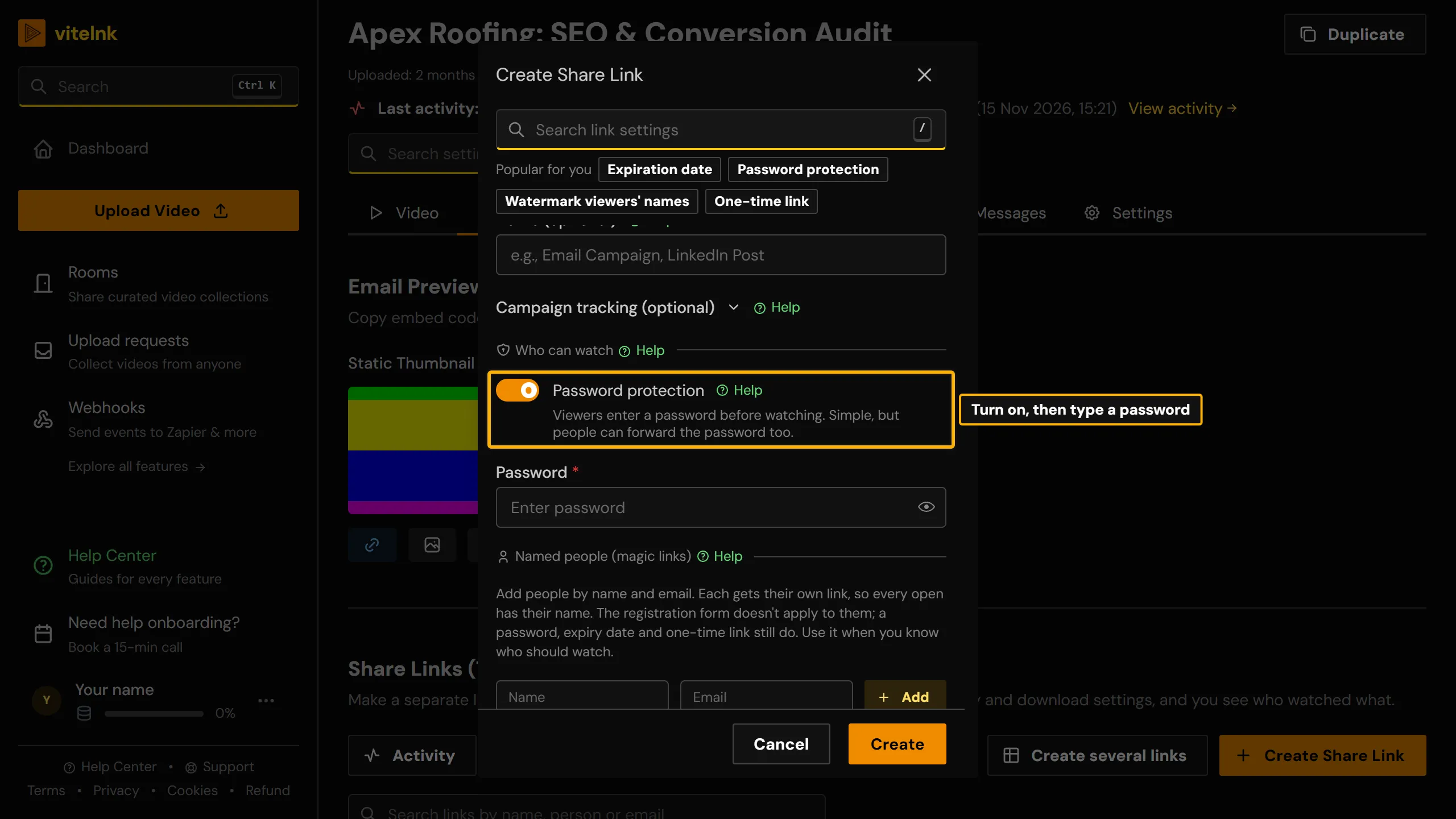
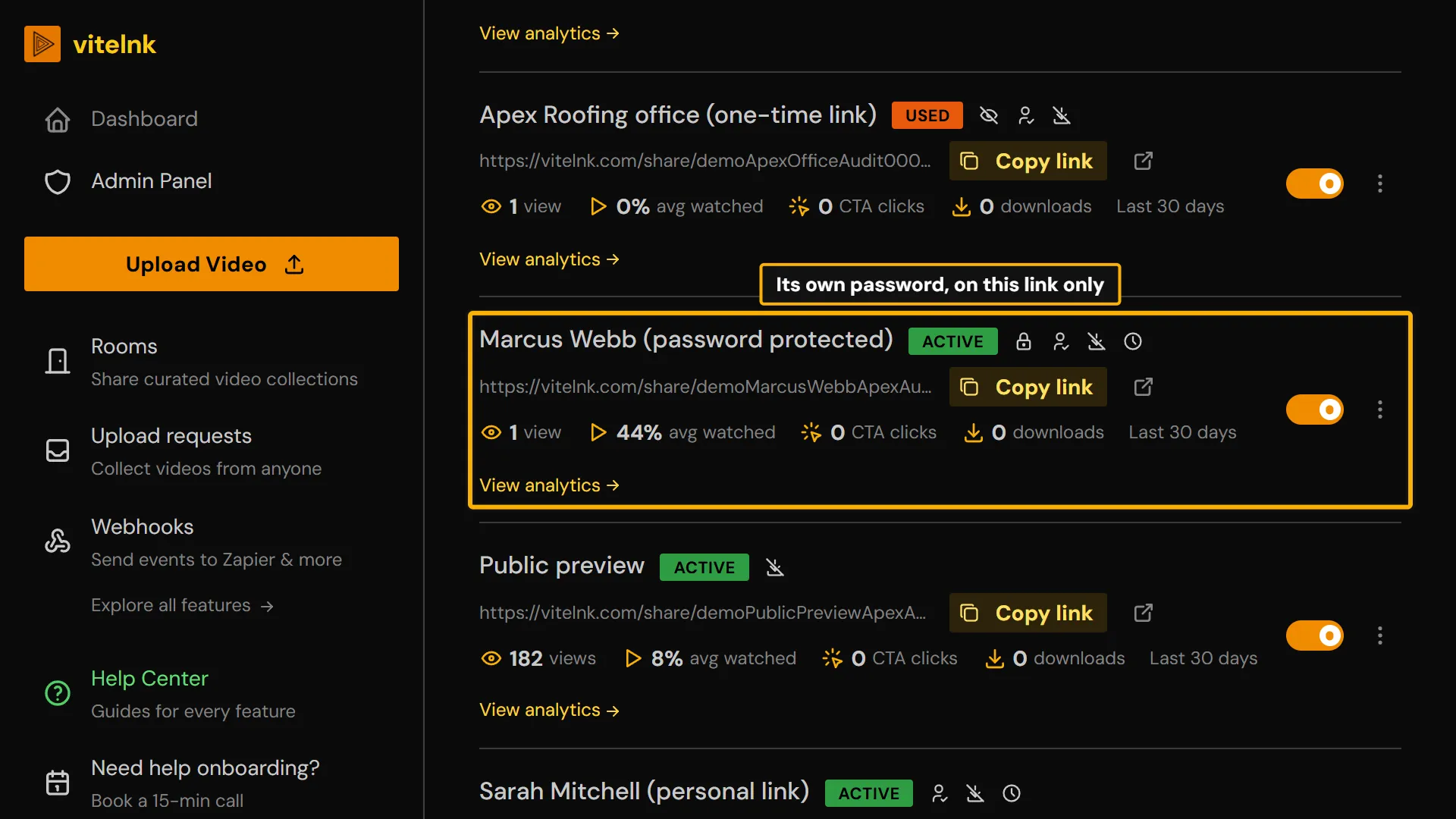
Password protected video sharing without re-uploading or changing the file: set a unique password on any share link in seconds. Each client or stakeholder gets their own link and their own password, so revoking one never touches the others.
- 1
- password per share link, so you can cut off one client without touching the others
- 10
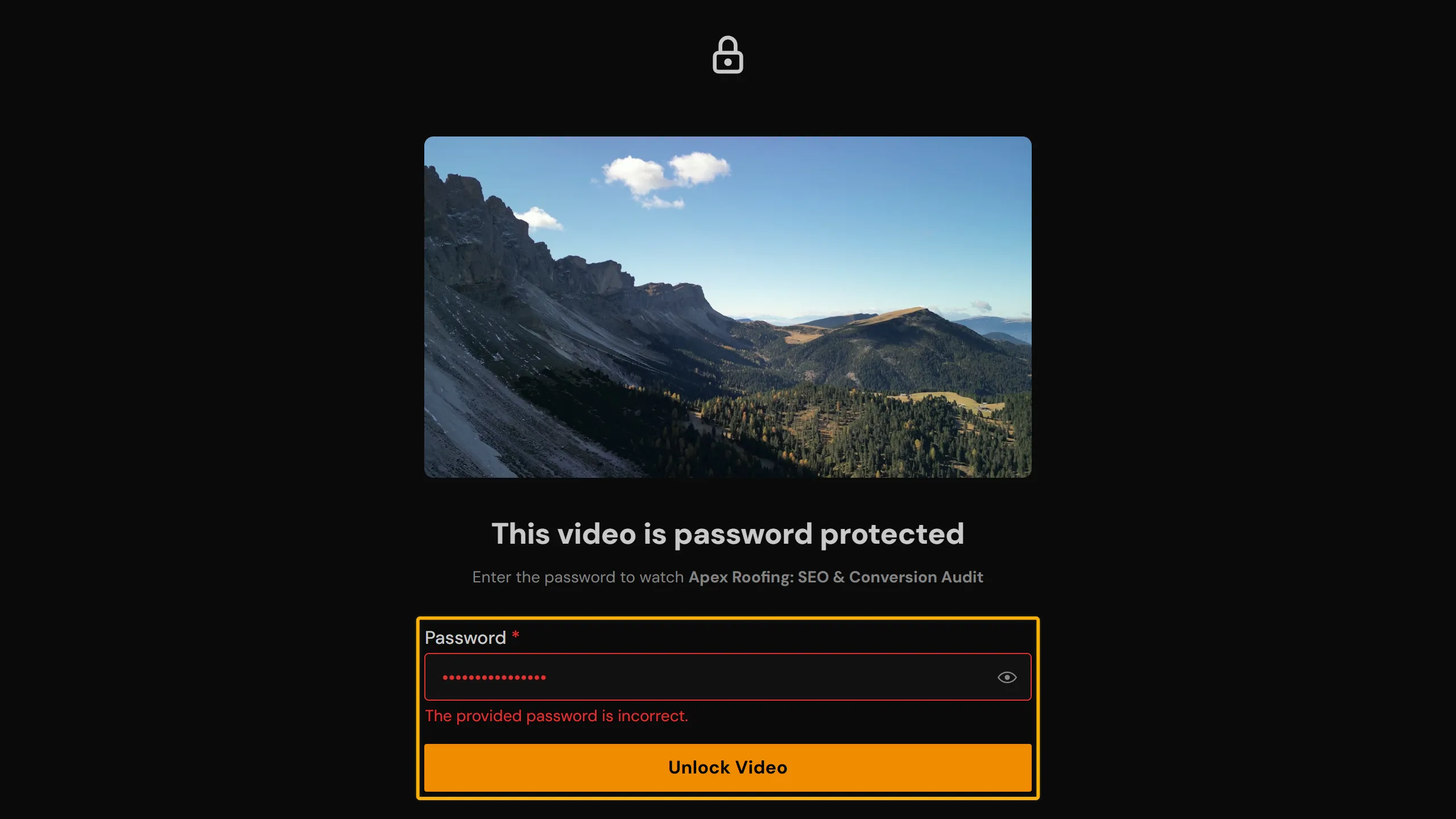
- wrong passwords in a minute and the viewer has to wait a minute before trying again
- 10+
- wrong passwords in an hour send you a suspicious-activity email
See it in the app
The real screen in vitelnk, with the setting marked.
How It Works
 1
Set a password on any share link. Each link gets its own, independent of every other link to the same video.
 2
Anyone who opens the link without the right password is blocked at the gate. No file access, no partial preview.
 3
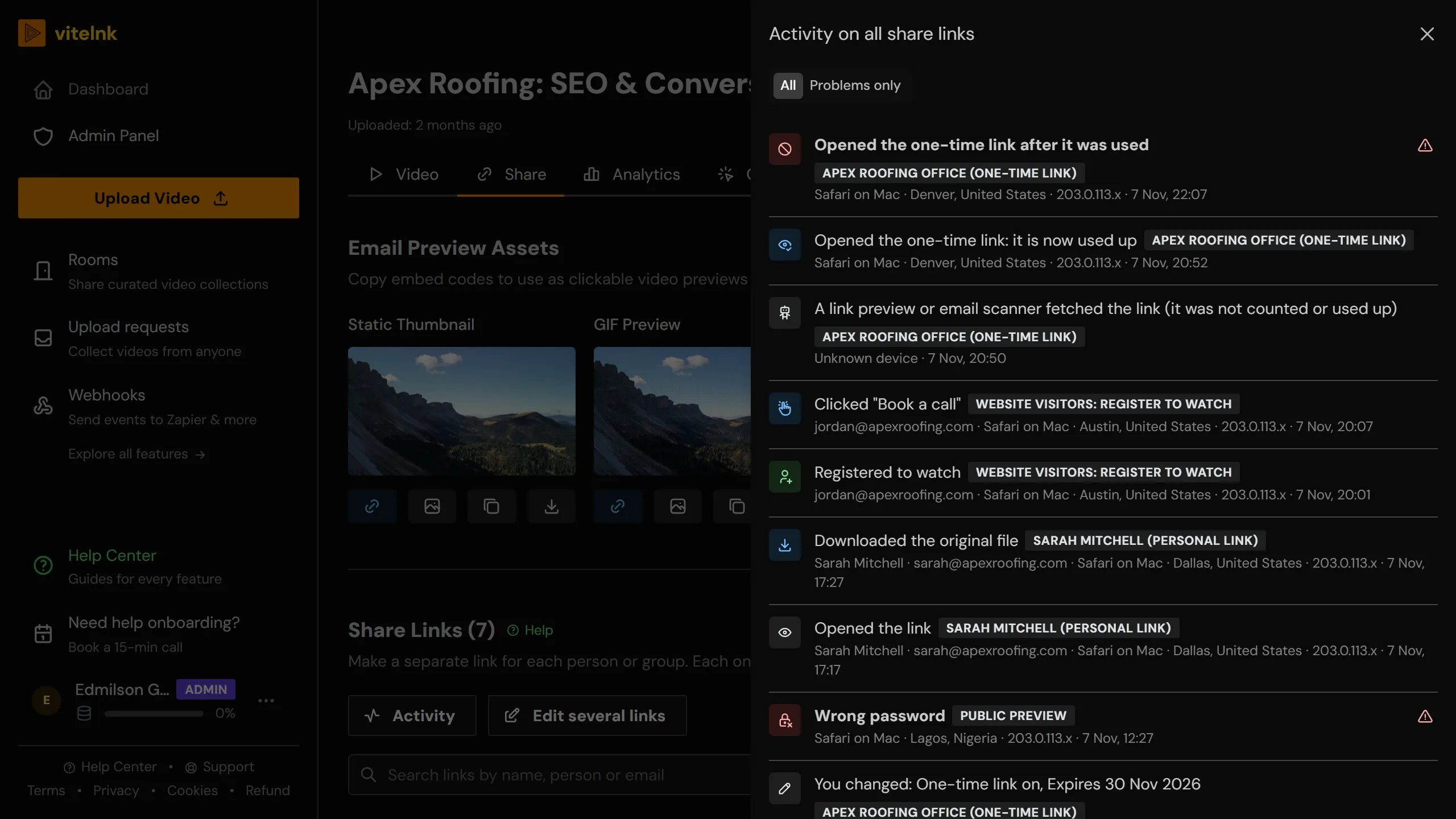
Every try shows in the link's activity log: each open with city and country, and every right or wrong password. Analytics shows how much each viewer watched.
Key Benefits
- Unique password per client or stakeholder: each link independently secured
- Single-use links for sensitive drafts: auto-expires after one view
- Expiration dates for review windows: links deactivate automatically
- Optional viewer registration so you know exactly who accessed the content
- Named recipient magic links: send a personalised invite, sessions bound by name
- Revoke or update any link without touching the others
- An activity log on every link: each open with city and country, right and wrong passwords, and downloads
- An email when a link gets 10 or more wrong passwords in an hour, and a one-minute wait after 10 wrong tries in a minute
Watch the Walkthrough
Use Cases
Per-client deliverables
Give each client their own password instead of one shared link for everyone.
ExampleYou send Acme Corp and Beta Studio the same video with two different passwords. Revoking Acme's access never touches Beta's link.
Sensitive drafts
Share a rough cut that should only ever be watched once.
ExampleA single-use link deactivates itself the moment the first viewer opens it, before it can be reshared.
Review deadlines
Give a deliverable a hard cutoff without having to remember to disable it.
ExampleYou set a 5-day expiry on a feedback link. On day 6 it stops working automatically, no manual cleanup required.
Compliance and legal review
Know exactly who opened a sensitive video, not just that the password was used.
ExampleA legal video requires viewer registration first, so every completed view is tied to the name and email the viewer gave.
Who Uses Password Protection
Related Features
Explore more ways to enhance your video sharing experience.
Common Questions
Ready to Try Password Protection?
Try it free today and see how password protection can help you share videos more effectively.