
Embed Videos on Any Website With Full Analytics
Add your video to any website with a responsive iframe code. Choose autoplay (muted), loop or a start time, and see embedded video analytics for every site: plays, watch time and call-to-action clicks, with the views from each site shown separately.
- Paid plans
- and trials include embed codes
- 3
- things that still work from an embed on another site: analytics, the watch email and webhooks
- Per site
- see which site each embedded view came from
See it in the app
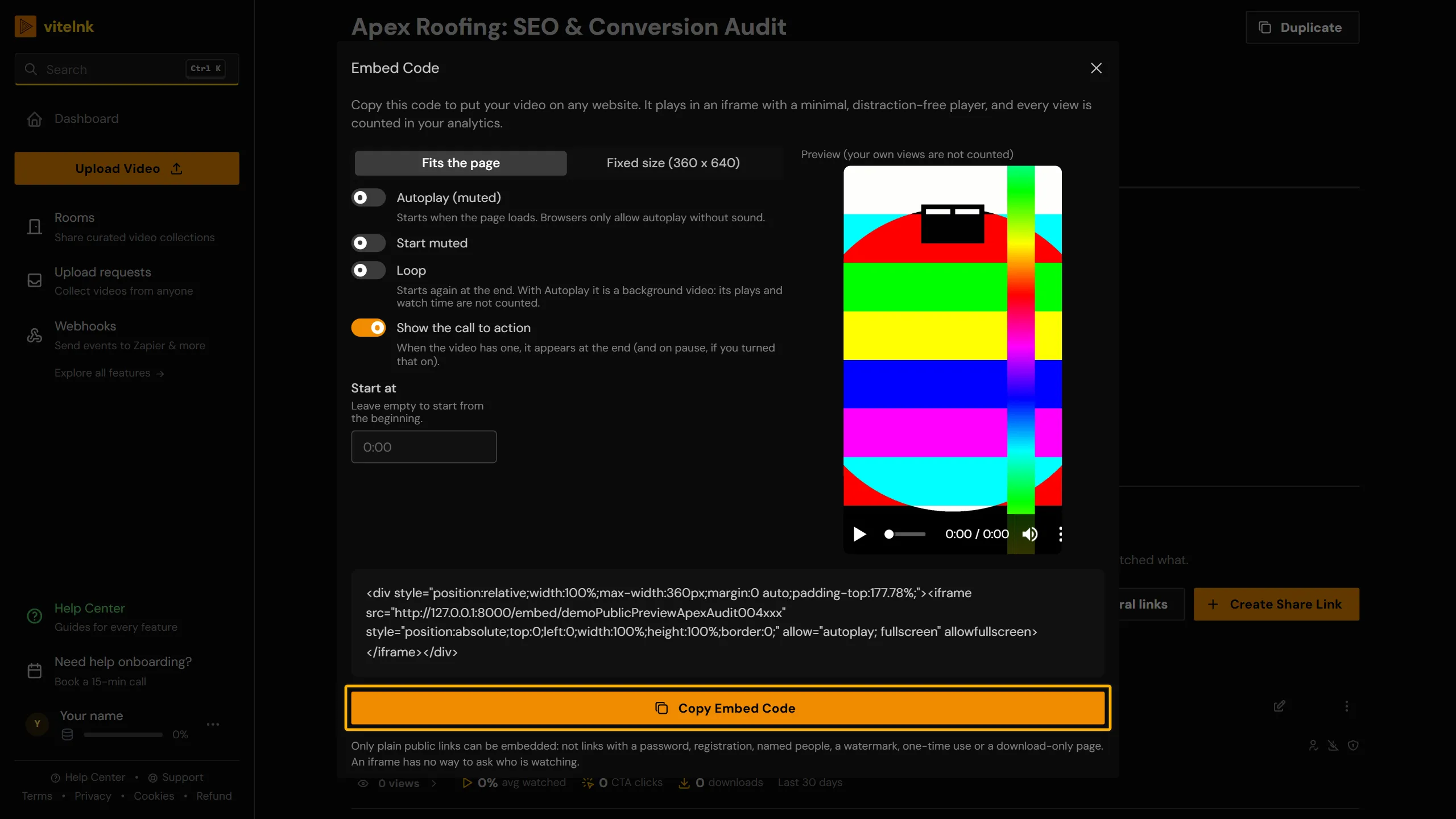
The real screen in vitelnk, with the setting marked.
How It Works
- 1
On a public share link, open its menu and pick Get Embed Code.
- 2
Choose how it plays (fits the page, autoplay, loop, start time), check the preview and copy the code.
- 3
Paste it into your page HTML, or the HTML or Embed block in WordPress, Webflow or Notion. Every view reports back to your analytics.
Key Benefits
- A responsive embed code that keeps the video in its own shape on any screen, with a preview before you copy it
- Choose autoplay (muted), loop, a start time, or hide the call to action
- Embedded video analytics: views, play rate, watch time and call-to-action clicks, in the same dashboard as your share links
- A Where it was watched card: your share links next to each site that embeds the video
- Works on WordPress, Webflow, Notion, Squarespace, and any site that accepts HTML
Watch the Walkthrough
Use Cases
Landing page demos
See how many visitors actually watch a product demo, not just how many loaded the page.
ExampleYou embed a 90-second demo on a landing page and see play rate and average watch time broken out from the rest of your traffic.
CMS and site builders
Drop a video into WordPress, Webflow, or Notion without exposing a raw file URL.
ExampleYou paste the embed code into a Webflow Embed element and the player renders inline, no plugin required.
Multi-domain campaigns
Embed the same video on several sites and see performance broken out by domain.
ExampleThe same product video is embedded on your landing page and your blog. Analytics shows each domain's views separately.
Portfolio and case studies
Show finished work on your own site and see which pages get watched.
ExamplePut a showreel on your portfolio and a client film on each case study page. The Where it was watched card shows which site gets the views. Keep the protected link for sending the film to the client, and embed a separate public link.
Sales pages with a CTA
Turn an embedded video into a lead source, not just a passive player.
ExampleA pitch video embedded on a sales page shows a CTA after playback and every click is tracked back to that page.
Who Uses Embed Videos
Related Reading
 Master How to Embed Videos in 2026Learn how to embed videos with iFrames, HTML5, or HLS. This 2026 guide covers responsive design, SEO, analytics, and troubleshooting for optimal playback.Read more
 What Does Embedding a Video Do? A Complete GuideLearn what does embedding a video do for your site's SEO, bandwidth, and security. Explore why 2026's top brands use secure platforms for video hosting.Read more
 How to Embed Video in Email: A Complete 2026 GuideLearn how to embed video in email with methods that actually work. Our guide covers HTML5 fallbacks, GIF previews, and secure streaming for max engagement.Read more
Related Features
Explore more ways to enhance your video sharing experience.
Common Questions
Ready to Try Embed Videos?
Try it free today and see how embed videos can help you share videos more effectively.