
Secure Video Link Sharing With Password Protection, Expiry, and Full Viewer Tracking
A Google Drive or Dropbox link feels secure until someone forwards it. vitelnk attaches access rules to the link itself: a password, an expiry date, single use, or viewer registration. To make a forwarded link useless, send each person a named link with email verification: a new device needs a code from their inbox.
- 10+
- wrong passwords or refused devices in an hour send you a suspicious-activity email
- 5
- layers of protection: private storage, signed URLs, HLS chunks, passwords, expiry
- 0
- public file URLs. Your videos are never exposed without an authenticated request
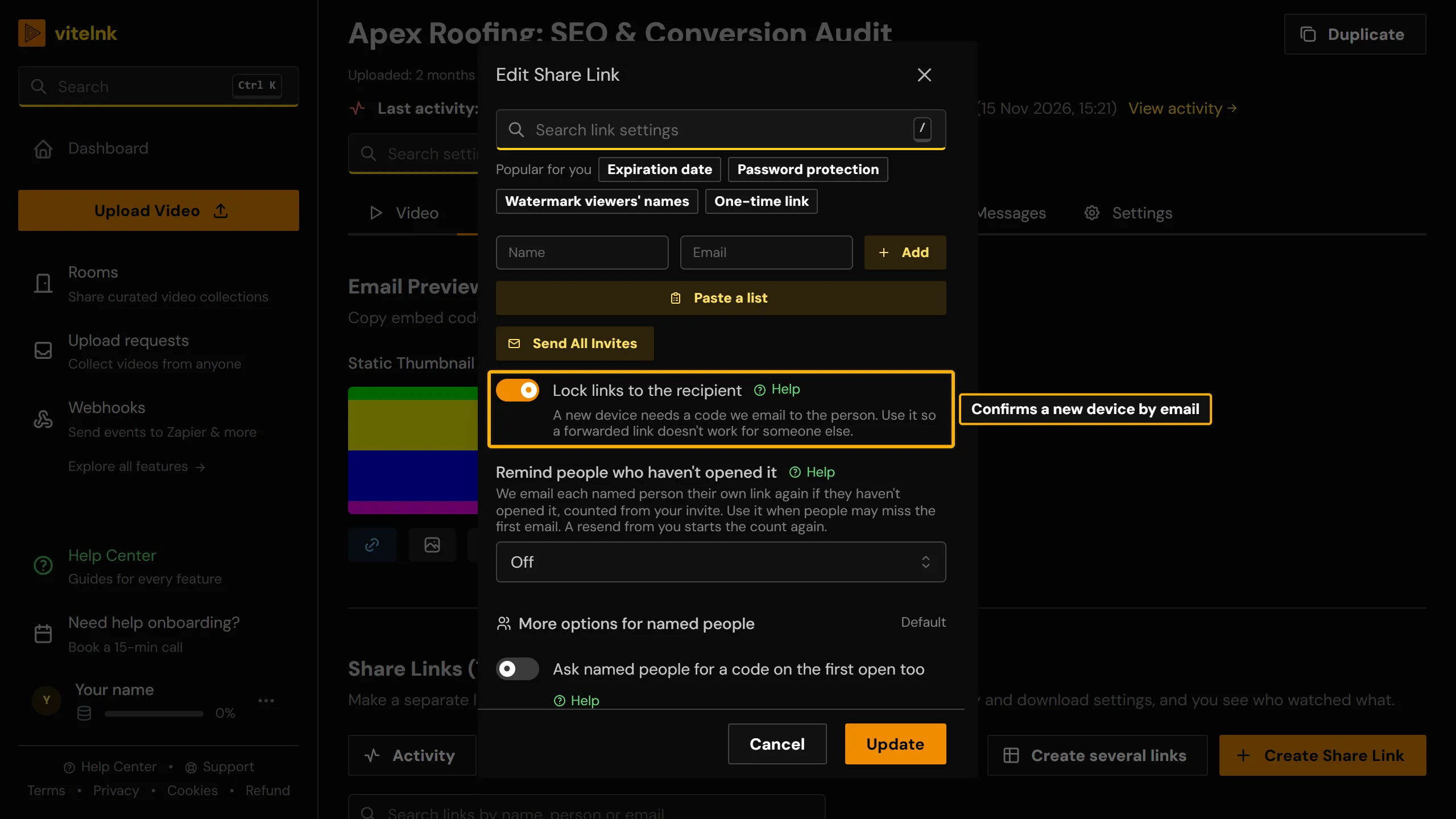
See it in the app
The real screen in vitelnk, with the setting marked.
How It Works
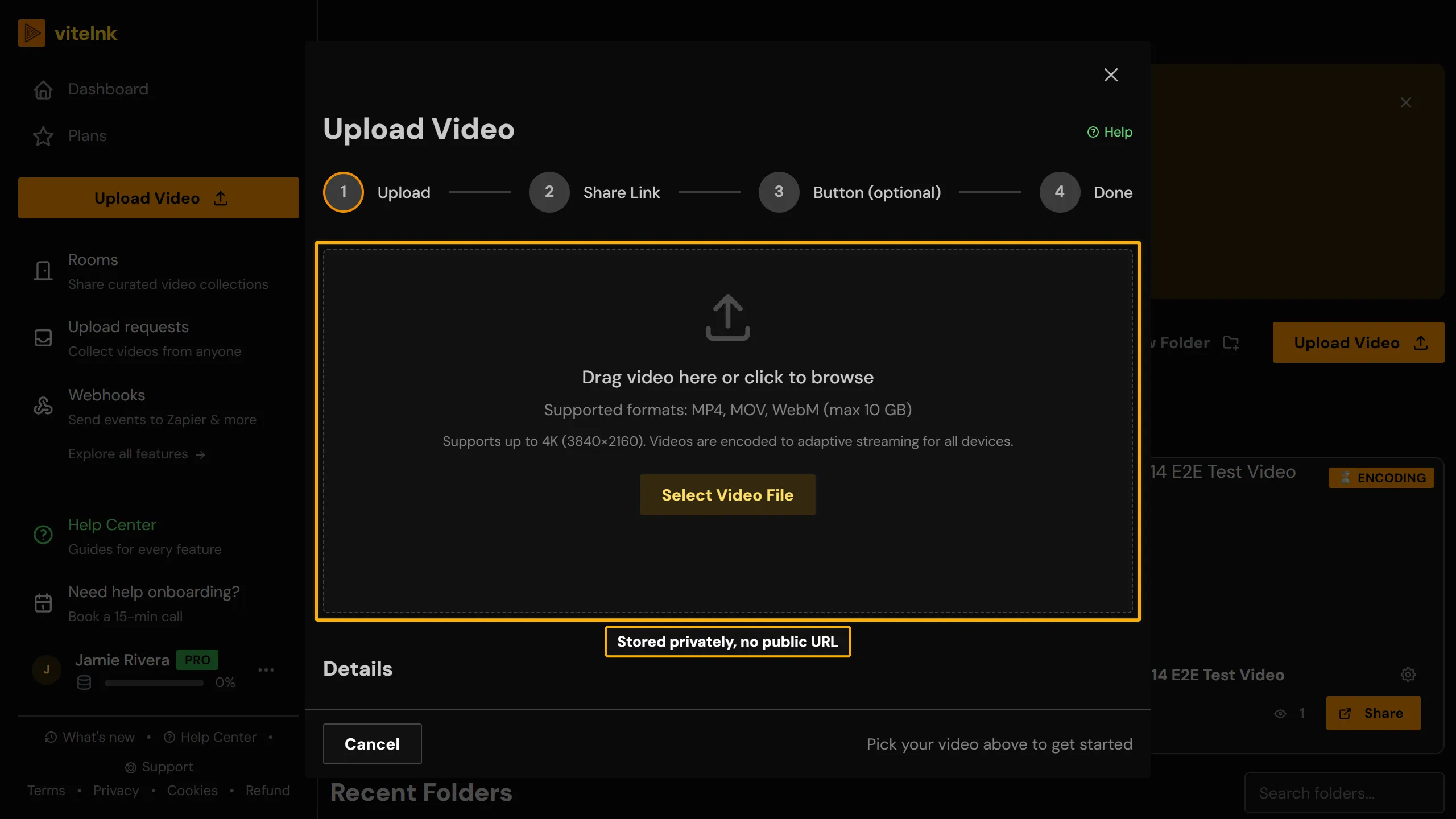 1
Upload your video. vitelnk encodes it to HLS and stores it in a private bucket with no public URL.
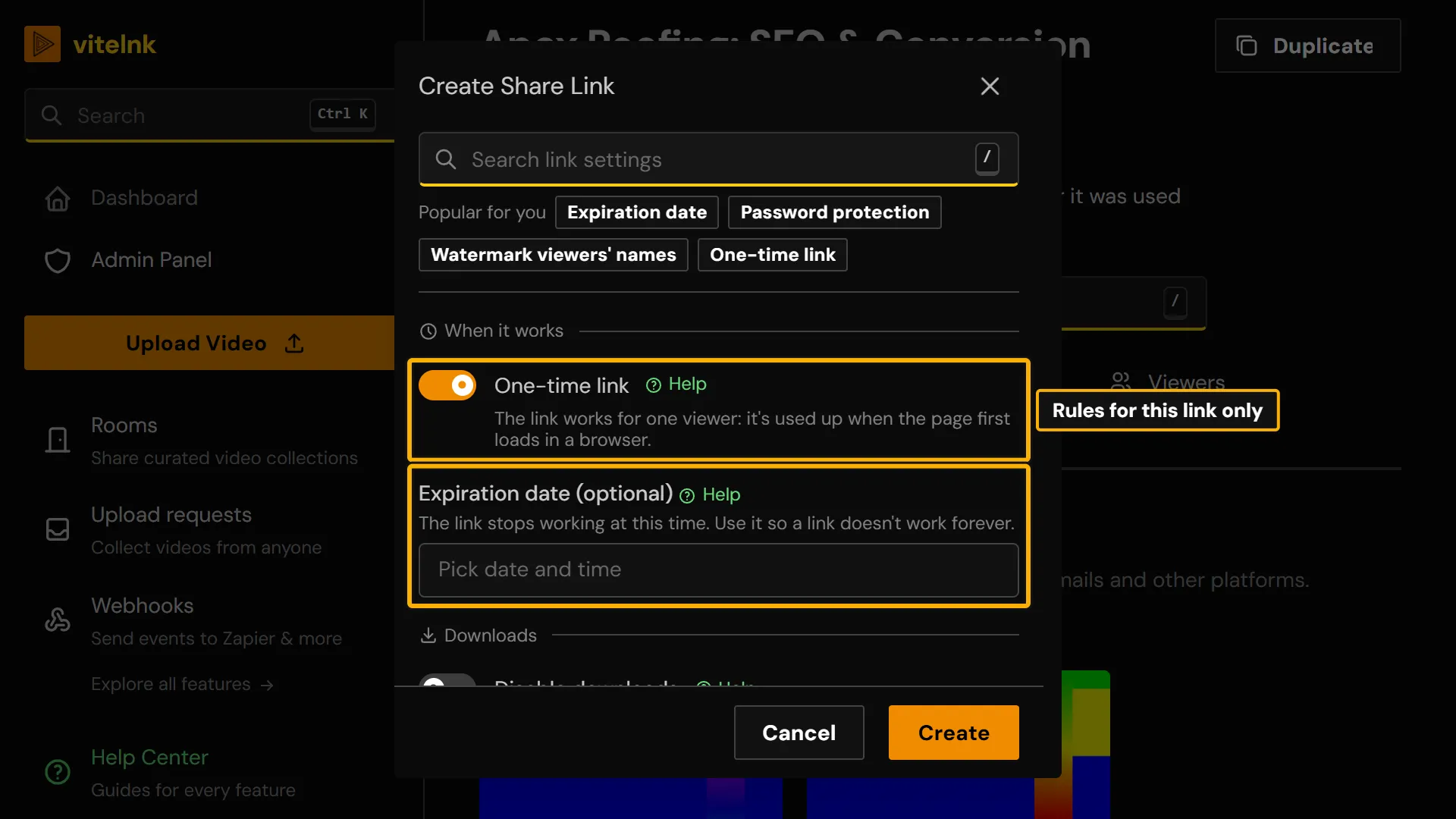 2
Create a share link and set your access rules: password, expiry date, single-use, or viewer registration.
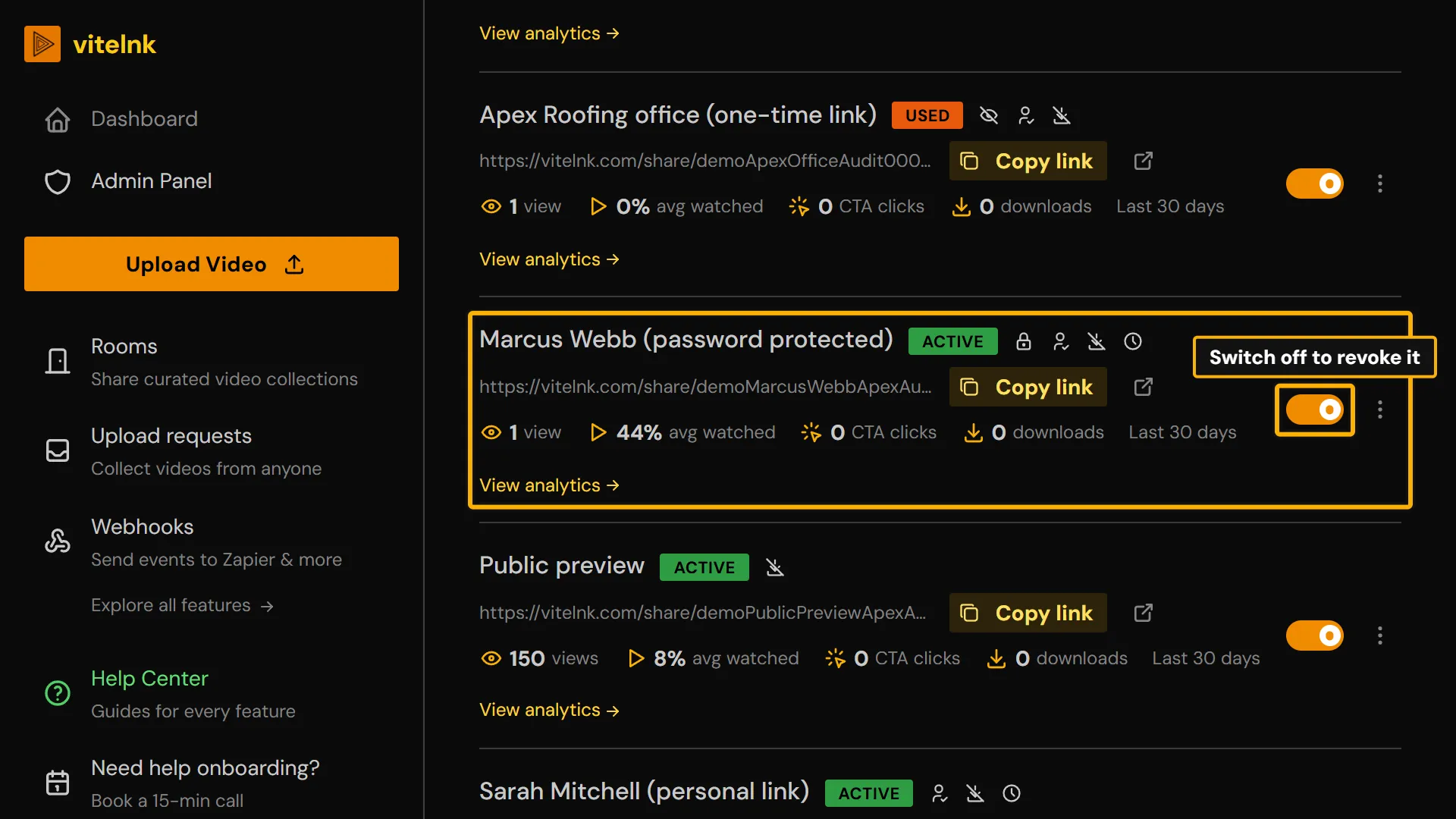 3
Track every session as it happens: who opened it, watch percentage, and whether an unauthorized attempt was blocked. Revoke the link any time.
Key Benefits
- Per-link passwords: each share link has its own unique access code, independently managed
- Expiry dates: set a deadline and the link stops working automatically, no manual action needed
- One-time links: self-destruct after the first view, ideal for sensitive drafts
- Viewer registration: an email before playback, confirmed with a 6-digit code so nobody can use a made-up or someone else's address, and no viewer account
- Named links locked to each person: a new device needs a code from their inbox, and with a code on the first open too, an invite forwarded before they open it plays for nobody else
- New links by email: people get their own personal link in their inbox without you sending each one, and an access window can end each link after a set number of days
- Download prevention: HLS streaming from private signed URLs, with no file URL on the page to save
- Full session logs: every view is recorded, including watch %, device, timestamp, CTA clicks, and lead captures
Pick Your Protection
From the simplest to the strongest, and when each one is the right call.
- 1
A link that stops on its own
An expiry date, or a one-time link that works for one viewing. Use it when anyone with the link may watch, just not forever. Set it up
- 2
A password
A shared secret that is easy to send. People can forward the password too, so keep it for low-stakes cuts. Set it up
- 3
Know who watched, with an email that is really theirs
Viewer registration asks for an email, and Confirm their email sends a 6-digit code to it before the video plays. Add Allowed viewers to let only certain people in. Confirm their email
- 4
A link that can't be forwarded
Each person gets their own link, locked to them: a new device needs a code from their inbox. Ask for a code on the first open too, and an invite forwarded before they open it plays for nobody else. Named people
- 5
The strongest
Named people with the lock and the first-open code, a password on top (two layers), each viewer's name watermarked on the video and downloads off. Nothing to forward, every view named, and a leak traceable. Which protection to use
Watch the Walkthrough
Use Cases
Client deliverables
Send finished work to a client without it ending up on a public link.
ExampleYou send a password-protected rough cut to one client. If they forward the link, whoever opens it still needs the password to watch.
Time-sensitive access
Give access for exactly as long as it should matter, then lock it automatically.
ExampleYou share an investor deck video with a 48-hour expiry. After the meeting window closes, the link stops working on its own.
Protecting confidential drafts
Stop a sensitive video from being downloaded and passed around.
ExampleA legal or HR video plays through HLS with downloads disabled, so nobody can save a local copy to redistribute.
Links that can't be passed on
Make sure the person you sent it to is the person watching.
ExampleEach person on a client's team gets a named link with email verification. Forwarded to someone else, it asks for a code sent to the original inbox and doesn't play.
Who Uses Secure Video Sharing
Related Reading
 Private Video Sharing Platforms Compared for 2026Private video sharing platforms compared for 2026: per-recipient links, expiry, view logs, pricing and use cases, so client videos stay private and tracked.Read more
 How to Share Private YouTube Video Safely in 2026How to share a private YouTube video: set it to Private, invite viewers by Google account, fix sign-in problems, and know when a tracked link works better.Read more
Related Features
Explore more ways to enhance your video sharing experience.
Common Questions
Ready to Try Secure Video Sharing?
Try it free today and see how secure video sharing can help you share videos more effectively.