
Deliver Client Videos, and Get Paid Before They Download
Send the draft on a link with downloads off and the client's name across the video. When the invoice is paid, click Unlock download: downloads turn on, the name comes off, and the people on the link get an email that the final is ready. You get an email when they download it.
- 1 click
- to turn downloads on and email the client that it's ready
- 2
- reminders at most, 2 and 5 days after you unlock
- 10 GB
- per file, delivered as the original or a 1080p / 720p MP4
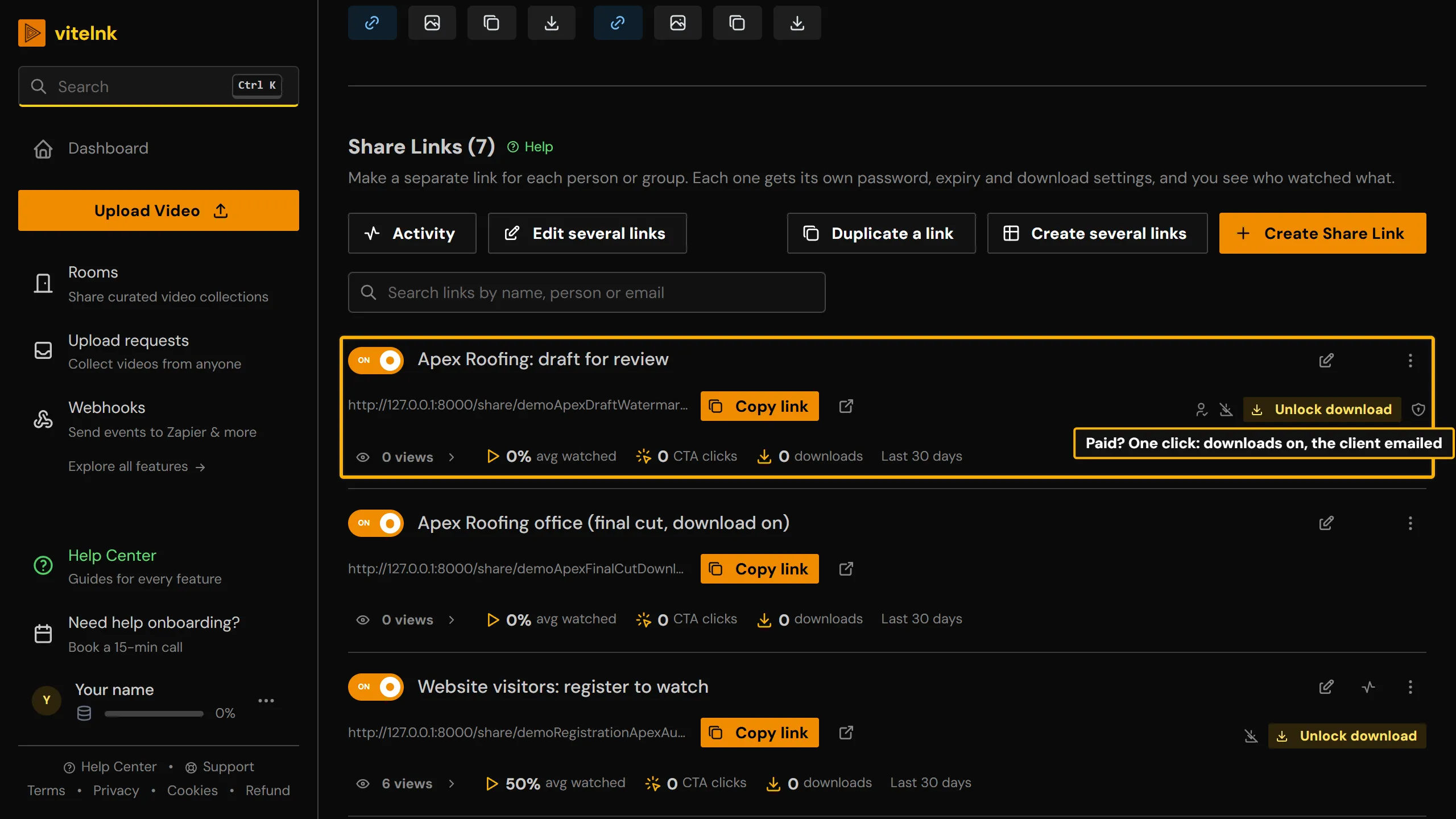
See it in the app
The real screen in vitelnk, with the setting marked.
How It Works
- 1
Upload the video and click Create Share Link. In Start from a job, pick Client draft, get paid first, and add the client under Named people.
- 2
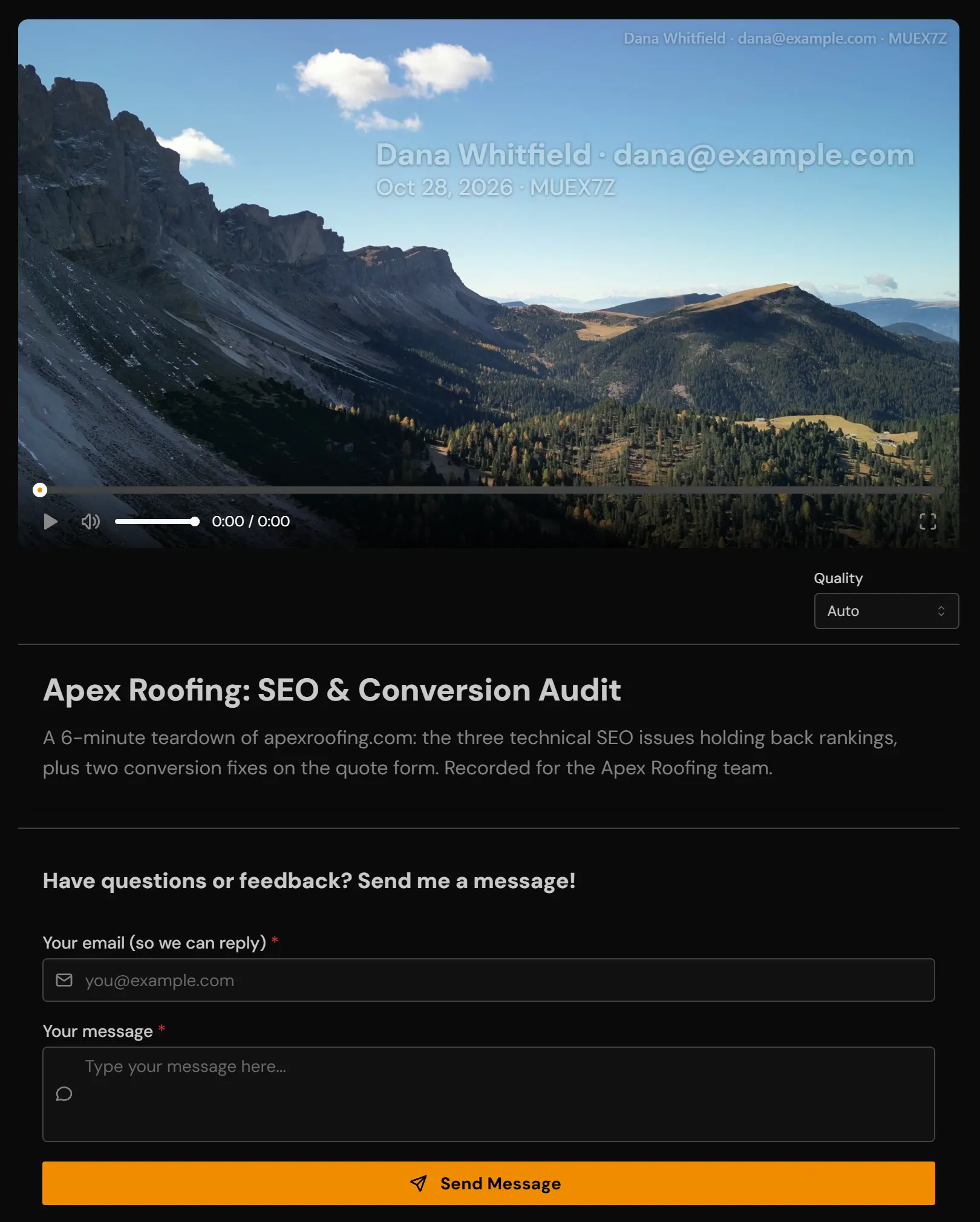
Send the link. The client watches the draft in the browser with their name across it and no download button, and can write their notes under the video.
- 3
When the invoice is paid, click Unlock download on the link. Downloads turn on, the name comes off, the client gets an email that the final is ready, and you get one when they download it.
Key Benefits
- The draft streams with downloads off and the client's name, the date and a viewer code across it
- Unlock download in one click once they've paid: downloads on, the name off, and an email to the people you named that it's ready
- A reminder 2 days later (and 5, if you like) to anyone who hasn't downloaded, and an email to you when they do
- The original file under its real file name, or a smaller 1080p or 720p MP4
- Limit downloads on a link (or per video in a Room), from 1 to 1000
- Several videos? Deliver them on one branded Room page with Download all
- Locked out after the link expired? They ask for access from the page, and you let them in from the email
- On the 14-day trial and on Professional, Team and Lifetime plans, and with credits
Use Cases
A draft before the invoice is paid
Show the edit without handing it over.
ExamplePick the Client draft job: downloads off, the client's name on the video and a message form for their notes. A screen recording of the draft is no use as the final.
The final, once the money is in
One click instead of a new upload and a new link.
ExampleClick Unlock download on the same link. The client gets an email that the final is ready, with your note, and a reminder after 2 days if they haven't downloaded it.
A whole package of films
The film, the highlights and the extras on one page.
ExampleTurn the folder into a Room with your logo. Each video downloads as the original or a 1080p or 720p MP4, Download all gets every original, and Unlock download hands it all over after the final payment.
A file that shouldn't travel
Deliver it, then close the door.
ExampleSet Limit downloads to 3 on the final's link. Once they are used, the button says Downloads used up, and Reset count opens it again if the client asks.
Who Uses Client Video Delivery
Related Features
Explore more ways to enhance your video sharing experience.
Common Questions
Ready to Try Client Video Delivery?
Try it free today and see how client video delivery can help you share videos more effectively.